📋 Overview
The Order App Block is a powerful feature that integrates directly into Shopify's order detail page in your admin. It allows you to view all uploaded files for each order without leaving the order page.
🎯 What You'll See with the Order App Block
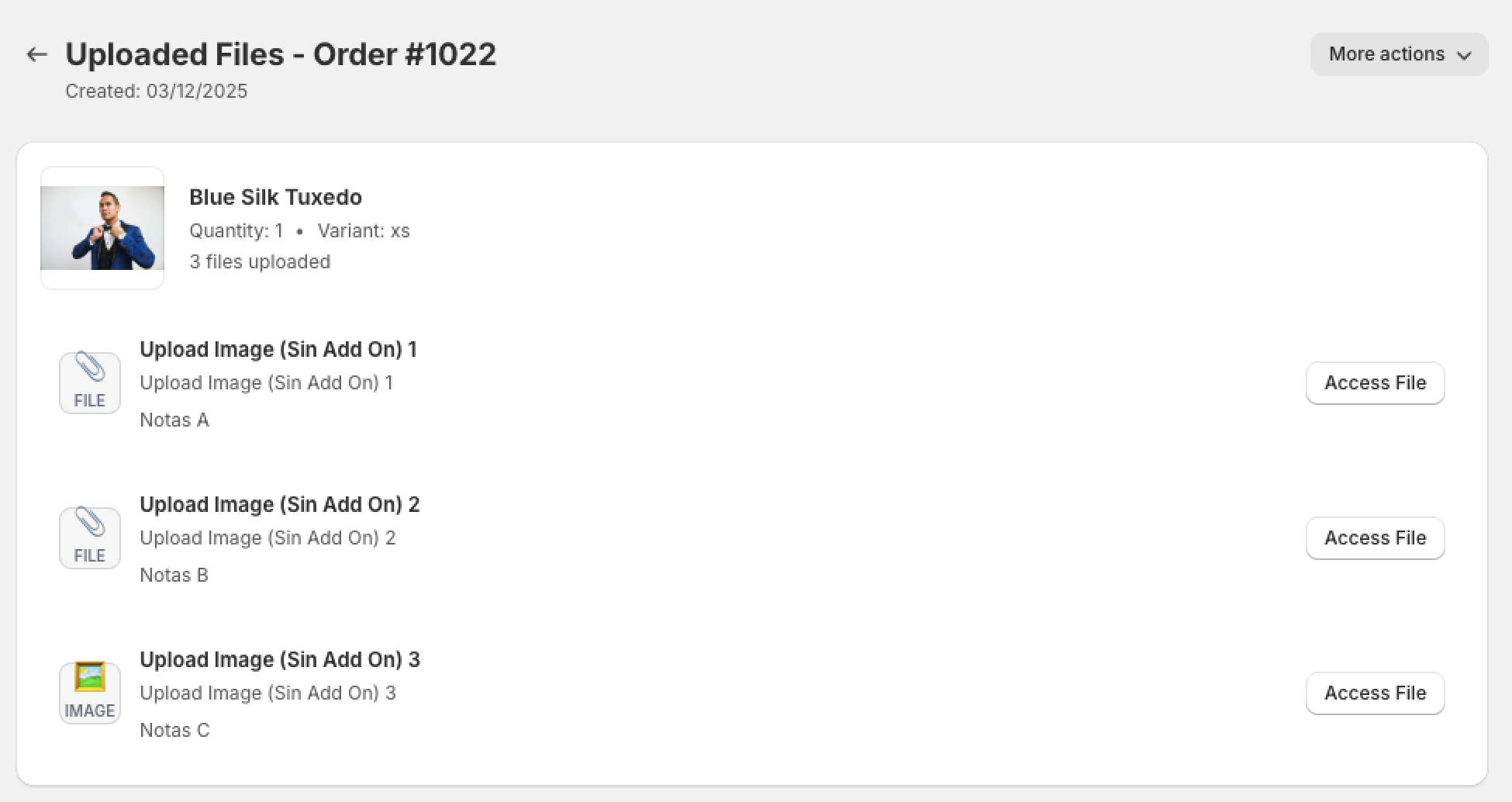
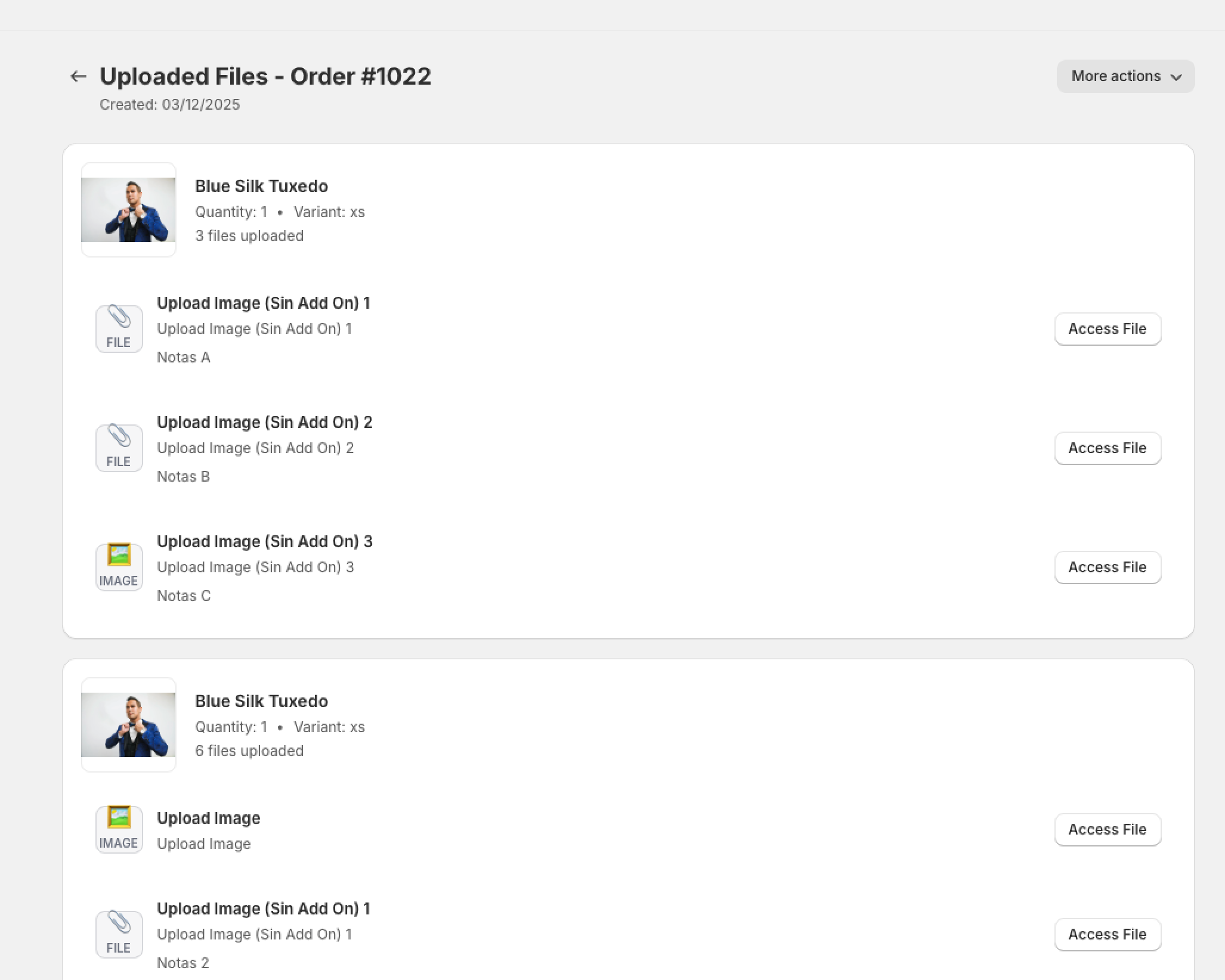
Once installed, the Order App Block displays uploaded files with the following information:
Product Information
- Product Image: Visual thumbnail of the product or variant
- Product Name: Clear display of the product title
- Variant Details: Shows the selected variant (if applicable)
- Quantity: Number of items ordered
- File Count: Total number of files uploaded for this item
File Information
- File Type Icons: Visual indicators showing IMAGE (🖼️) for image files or FILE (📎) for other file types
- Field Name: The name of the upload field used
- Filename: Original name of the uploaded file
- Customer Notes: Any notes or instructions left by the customer for each file
- Access Button: Direct download/view link for each file
🚀 How to Access the Order App Block
Good news! The Order App Block is automatically activated when you install UploadsPro. There's no manual configuration required.
How to View Uploaded Files
- Log into your Shopify Admin
- Go to Orders from the left sidebar
- Click on any order that contains uploaded files
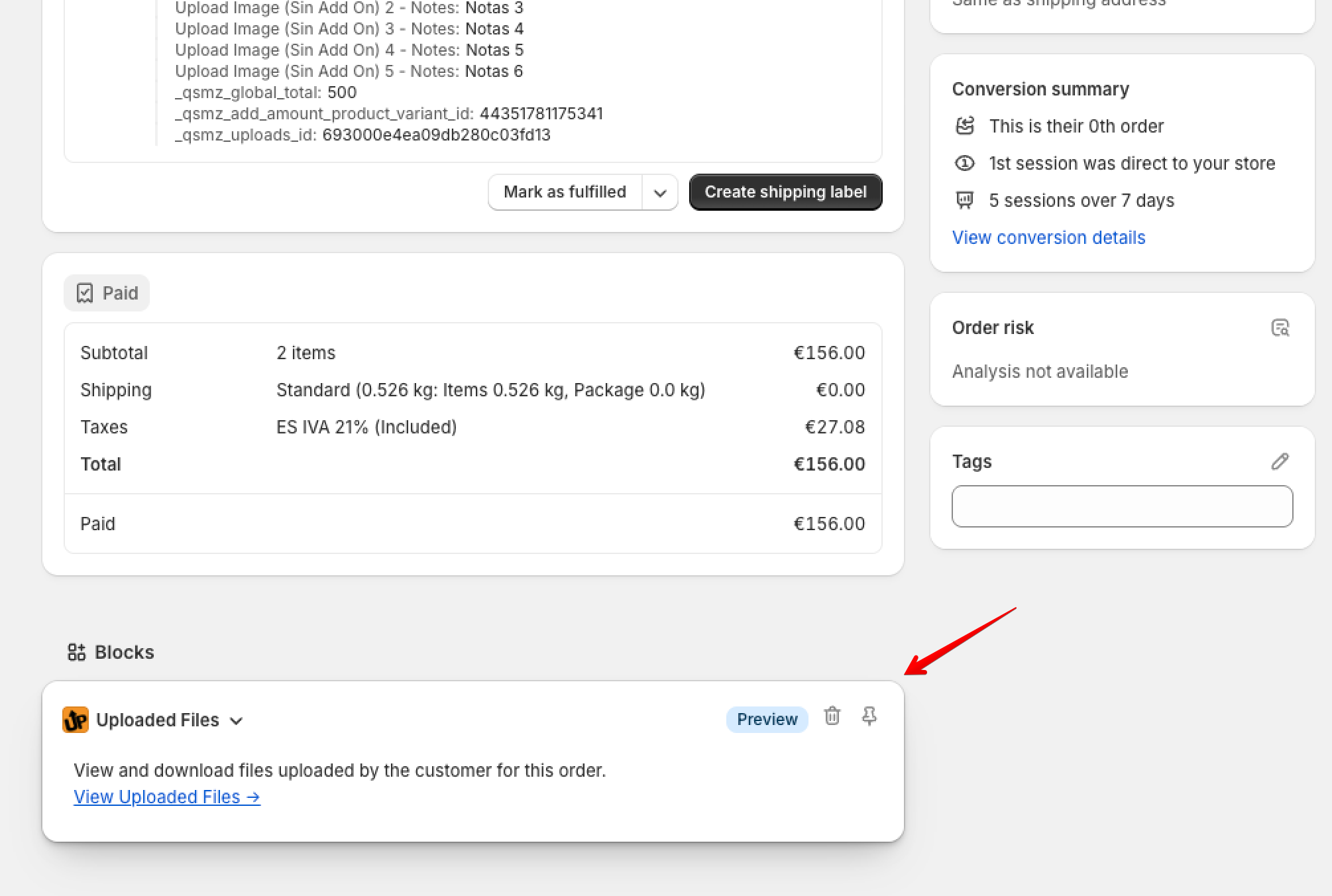
- Scroll down on the order detail page
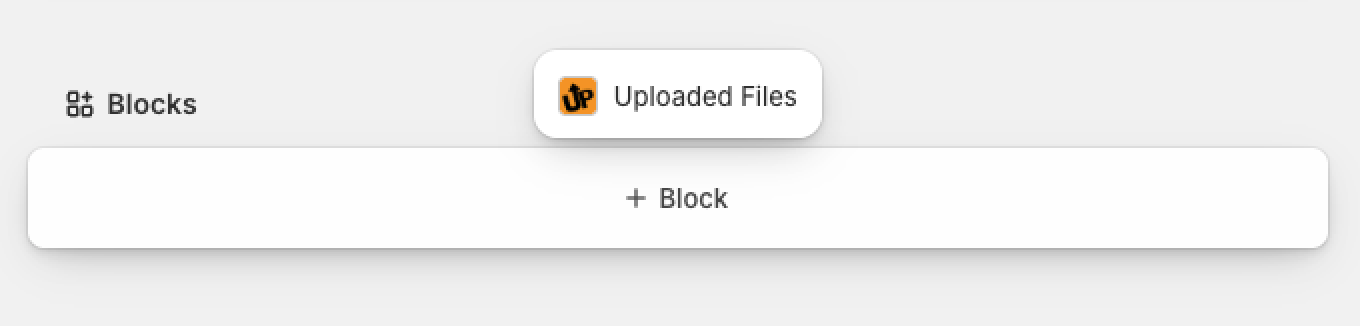
- Locate the "Blocks" section
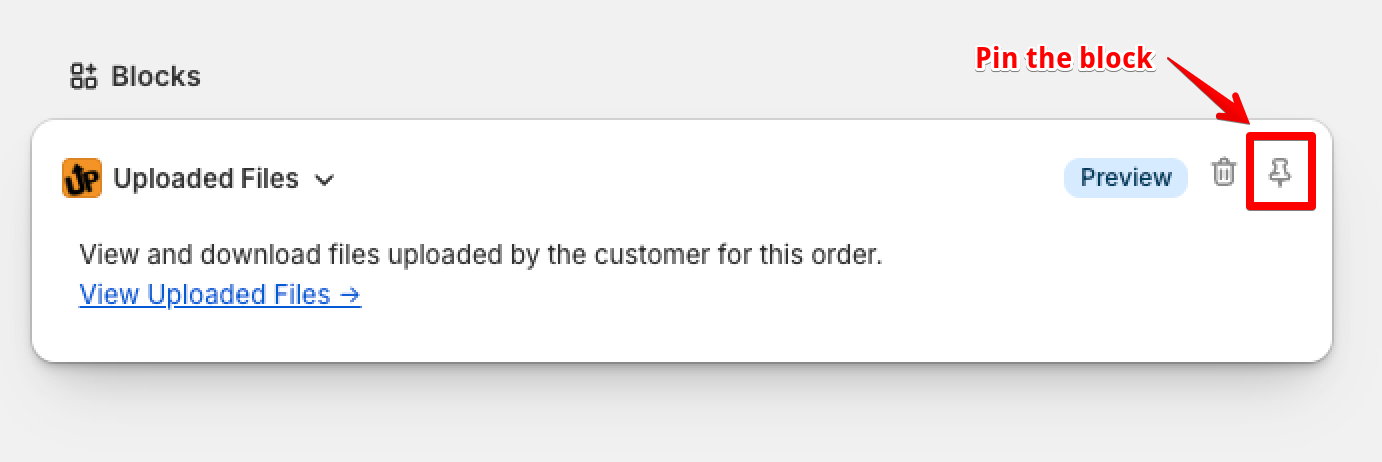
- Click on the + Block and add the "Uploaded Files" block
- Click on Pin to save the block for future orders
📱 Using the Order App Block
Viewing Uploaded Files on Orders
After installation, accessing uploaded files is simple:
- Go to Orders in your Shopify Admin
- Click on any order that contains uploaded files
- Scroll down on the order detail page
- You'll see the "Uploaded Files" section added by UploadsPro
⚠️ No Uploaded Files?
If an order doesn't have any uploaded files, the section will show an empty state message: "No uploaded files found - This order doesn't have any uploaded files."
🎨 Visual Features
Product Information Display
The Order App Block provides a rich visual experience:
- Large Product Images: Clear thumbnails help you quickly identify products
- Variant Display: When a customer orders a specific variant (like "Large" or "Red"), it's clearly shown below the product name
- Smart Layout: Product image, name, and details are arranged in an easy-to-scan layout
File Type Visualization
Files are displayed with clear, consistent icons:
- Image Files: Display IMAGE icon (🖼️) in a gray box with label
- Other Files: Display FILE icon (📎) in a gray box with label
- Consistent Design: Both icon types use the same color scheme for a professional, unified look
- Professional Appearance: Clean, modern design that matches Shopify's interface
Interactive Elements
Enhanced usability features:
- Hover Effect: File rows highlight with a subtle gray gradient when you move your mouse over them
- Smooth Transitions: All hover effects use smooth 0.2s transitions for a polished feel
- Visual Feedback: Clear indication of which row you're interacting with, especially useful with many files
- Expandable Notes: Long customer notes can be expanded or collapsed with a simple click
🔄 Quick Actions
View Order in Shopify
When viewing the Order App Block from within the UploadsPro app, you'll see a "View Order in Shopify" button that:
- Takes you directly to the full order page in Shopify
- Opens in the same tab for seamless navigation
- Maintains your workflow without opening multiple tabs
Back Navigation
Easy navigation back to your dashboard:
- Click the back arrow in the top left
- Returns you to the UploadsPro main dashboard
- Preserves your previous view state
✅ Summary
The Order App Block is an essential tool for managing customer file uploads efficiently:
q
- ✅ Easy Installation: Enable in just a few clicks through Shopify settings
- ✅ Rich Visual Display: See product images, variants, and clear file type icons
- ✅ Customer Notes Integration: View notes and instructions customers left for each file
- ✅ Interactive Interface: Hover effects help you navigate multiple files easily
- ✅ Seamless Integration: Works directly in your Shopify order page
- ✅ Improved Workflow: Access all files without leaving the order page
- ✅ Professional Presentation: Clean, organized interface with smart expand/collapse features
🎯 Recommended Setup:
We highly recommend installing the Order App Block for all UploadsPro users. It significantly improves your order management workflow and makes accessing customer files effortless. The customer notes feature and hover highlighting are especially valuable when processing orders with multiple file uploads.
📚 Next Steps
Now that you understand the Order App Block, explore these related guides:
🆘 Need Help?
If you need assistance with the Order App Block:
- 📧 Email Support: Contact us through the app's support button
- 💬 Live Chat: Available during business hours
- 📖 Documentation: Explore our complete guide collection
- 🎥 Video Tutorials: Watch installation walkthroughs
💡 Feedback Welcome!
We're constantly improving the Order App Block. If you have suggestions or feature requests, please let us know through our support channels!
 UPLOADS PRO